
Description
- Our reconditioned Genuine Ford® parts feature a 90-day guarantee and a hassle-free return policy. Extended warranties are also available!
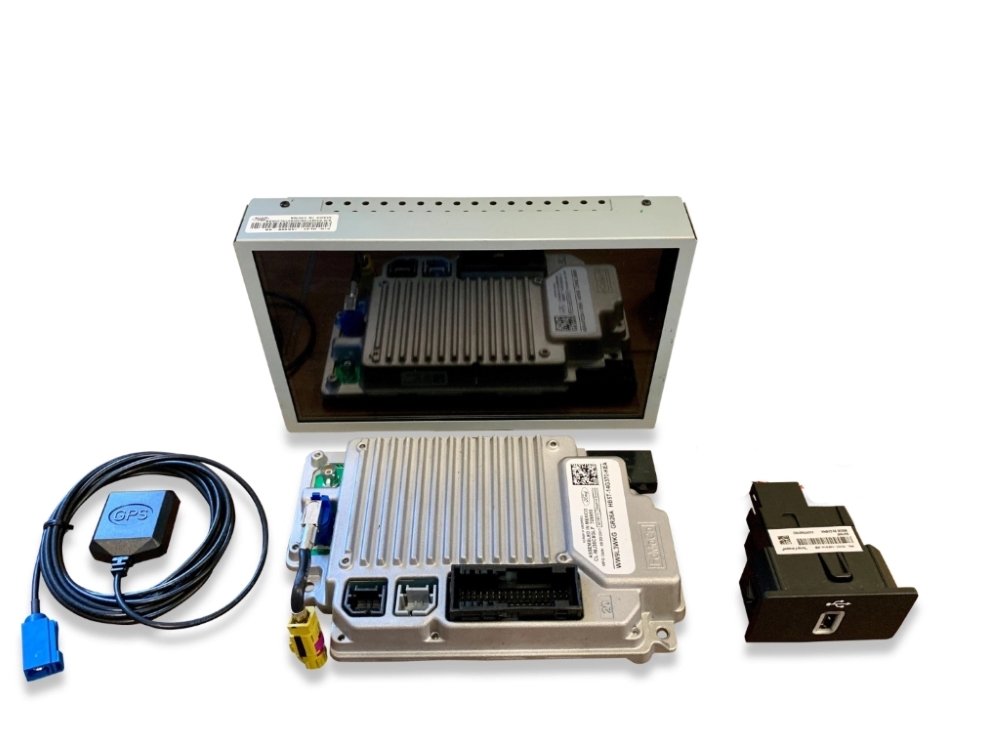
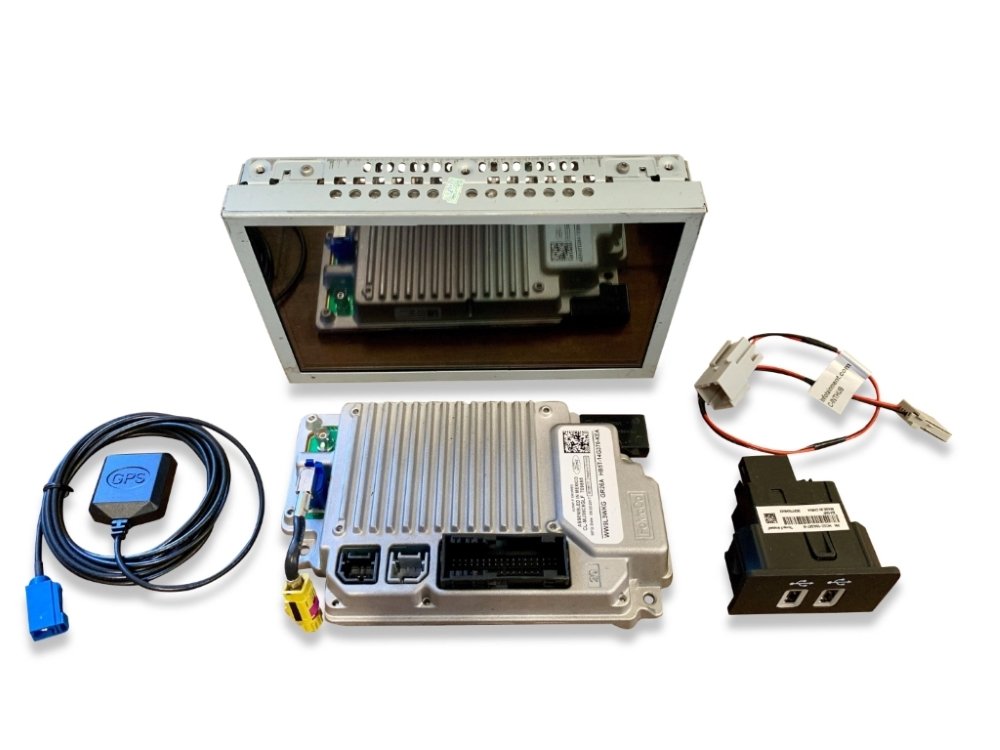
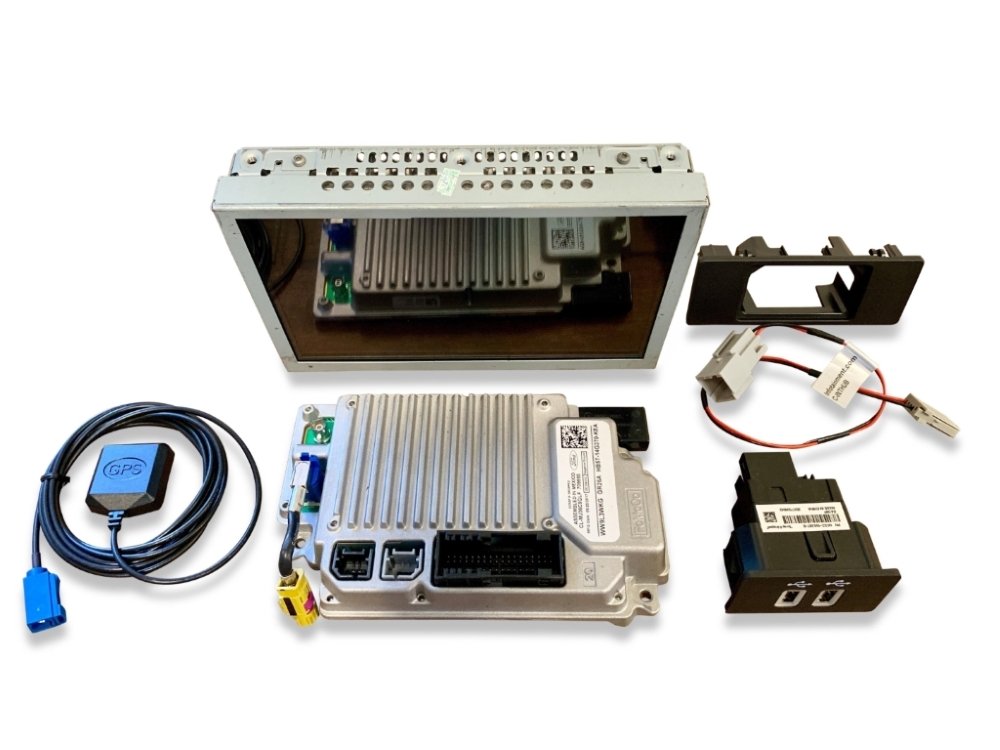
- Upgrade to the award winning Sync® 3 system today! Simply remove and replace your existing 8-inch MyFord Touch Sync 2 display/module, swap your vehicle’s existing media USB media hub, and install an under-dash mounted GPS antenna. Done!
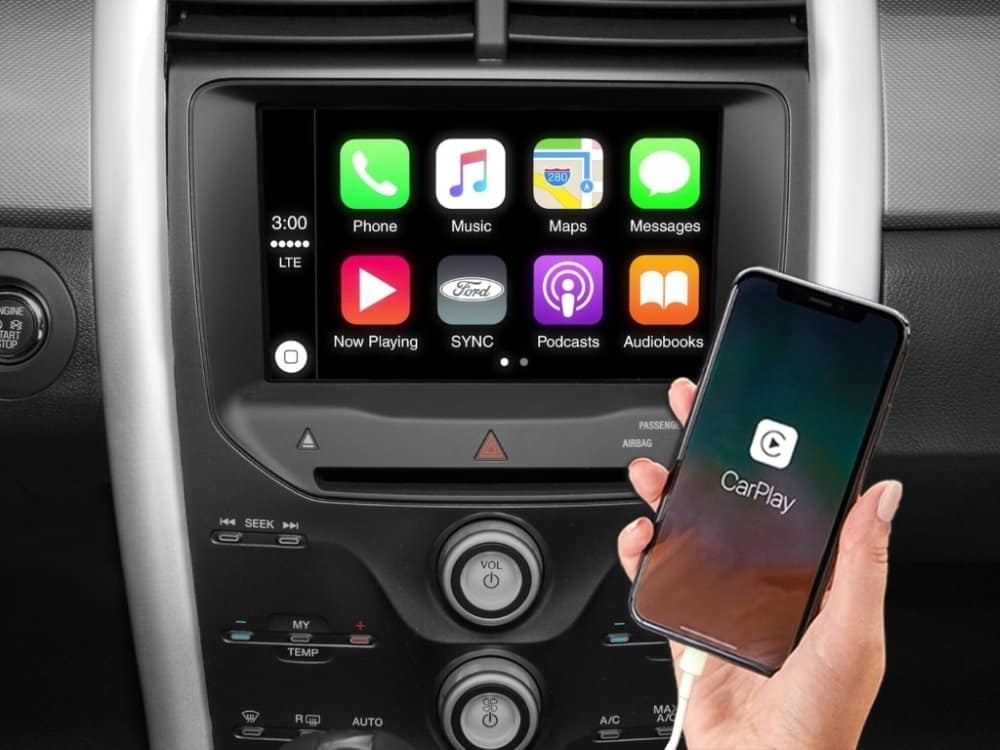
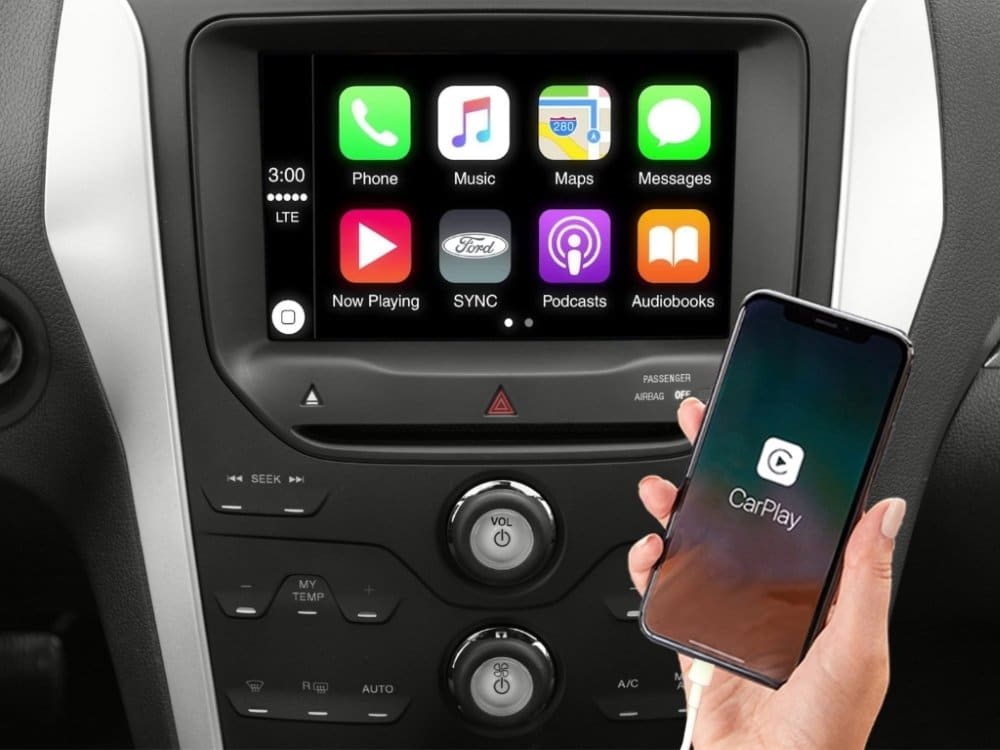
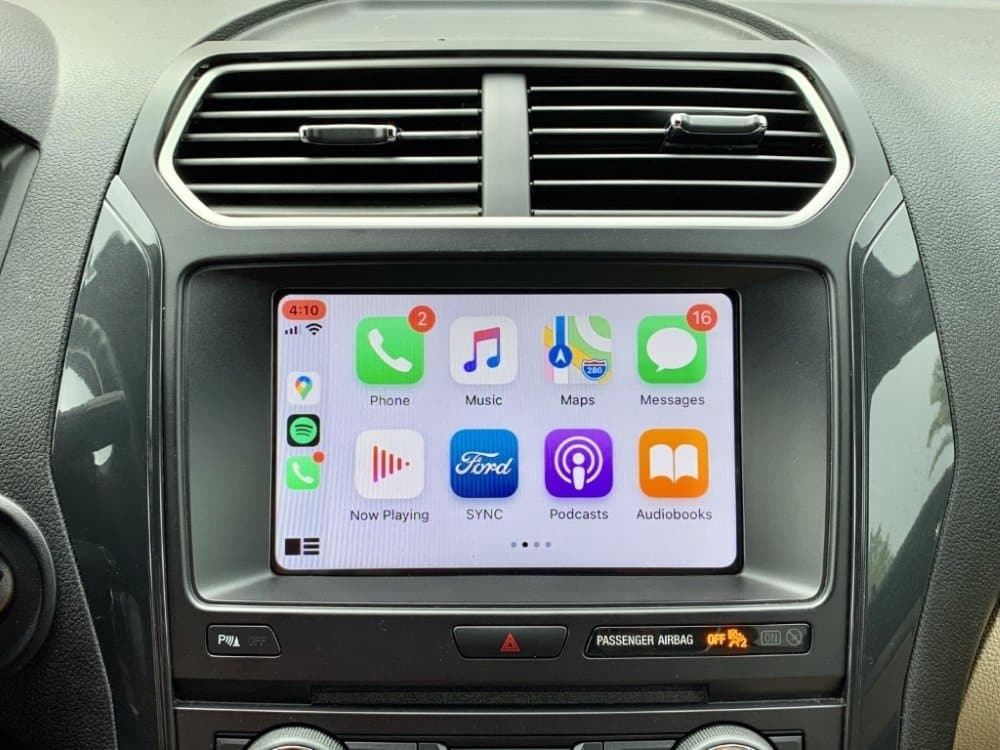
- Full Android Auto™ and Apple CarPlay™ support.
- Supports English, French, & Spanish languages.
- No-hassle, Plug & Play system. Pre-programmed to your specific vehicle. Please notate your vehicle’s 17-digit VIN after adding to your cart. Eligible for our Compatibility Guarantee.

Product Installation
Installation of this product would be rated a 3 out of 5. 1 being extremely easy and 5 being extremely difficult. It is recommended prior to installing any automotive electronics that the negative battery terminal be disconnected.
- Remove your vehicle’s existing 8-inch radio display.
- Remove the brackets from the side of the display and install them onto the Sync 3 display included with the kit.
- Install the included magnetic GPS antenna anywhere behind the radio display cavity just beneath the dash top under the windshield.
- Plug the GPS antenna into the included Sync 3 radio display/module and install the included replacement 8-inch radio display into the factory location.
- Remove your vehicle’s media USB hub and replace it with the included hub along with the corresponding hub converter harness. Done!
If you need any assistance along the way please feel free to visit our YouTube page or contact our customer support department
Product Features
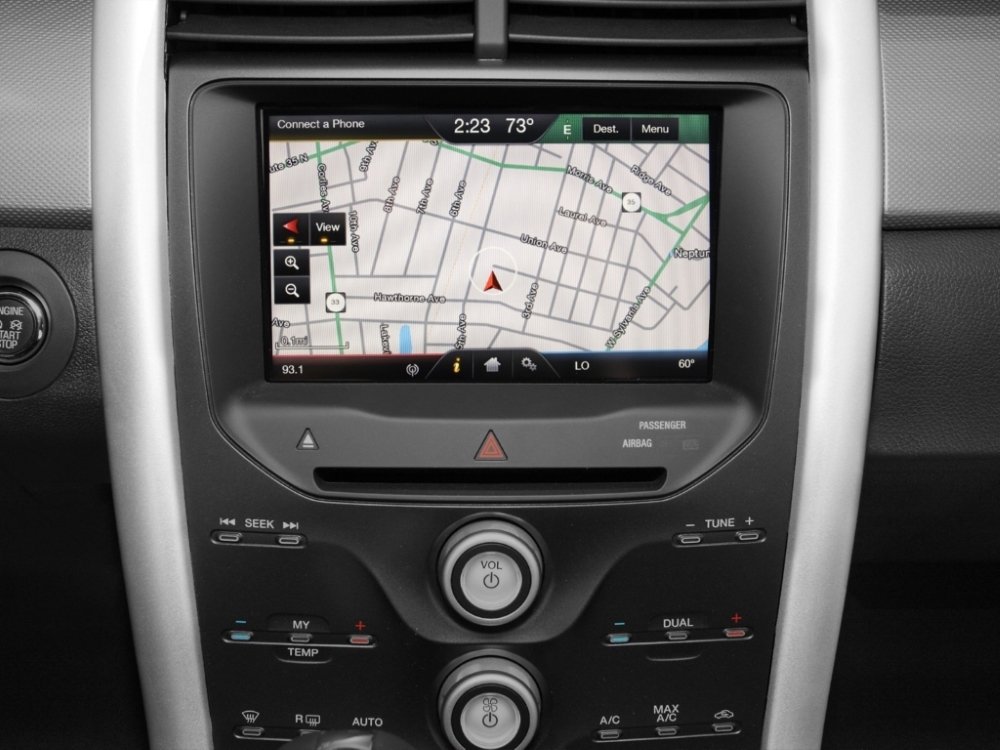
- Voice Activated GPS Navigation with turn-by-turn directions on radio display (optional – select above)
- Full Android Auto™ and Apple CarPlay™ support.
- Latest & greatest Sync® update including Siri Eyes Free.
- Plug & Play, no additional hardware or programming required.

Things To Know
- New Option – Pre-programmed to function with your vehicle’s factory installed SiriusXM® satellite radio. If you wish to add satellite radio see our Ford Satellite Radio Upgrade Kit. Furthermore, if you wish to add HD radio see our Ford HD Radio Upgrade Kit.
- Pre-programmed to function with your vehicle’s existing steering wheel mounted audio controls.
- Pre-programmed to function with your vehicle’s existing back-up rear view camera. If you would like to add a rear view back-up camera check out most popular plug & play License Plate Hideaway Camera.
- Pre-programmed to function with your vehicle’s existing Sync® bluetooth hands-free calling feature. Simply pair your phone to the new system.
Vehicle Compatibility
| Car Make & Model | Car Year |
|---|---|
| Ford Explorer | 2011 2012 2013 2014 2015 2016 |
Shipping & Delivery
Description
- Our reconditioned Genuine Ford® parts feature a 90-day guarantee and a hassle-free return policy. Extended warranties are also available!
- Upgrade to the award winning Sync® 3 system today! Simply remove and replace your existing 8-inch MyFord Touch Sync 2 display/module, swap your vehicle’s existing media USB media hub, and install an under-dash mounted GPS antenna. Done!
- Full Android Auto™ and Apple CarPlay™ support.
- Supports English, French, & Spanish languages.
- No-hassle, Plug & Play system. Pre-programmed to your specific vehicle. Please notate your vehicle’s 17-digit VIN after adding to your cart. Eligible for our Compatibility Guarantee.
Product Installation
Installation of this product would be rated a 3 out of 5. 1 being extremely easy and 5 being extremely difficult. It is recommended prior to installing any automotive electronics that the negative battery terminal be disconnected.
- Remove your vehicle’s existing 8-inch radio display.
- Remove the brackets from the side of the display and install them onto the Sync 3 display included with the kit.
- Install the included magnetic GPS antenna anywhere behind the radio display cavity just beneath the dash top under the windshield.
- Plug the GPS antenna into the included Sync 3 radio display/module and install the included replacement 8-inch radio display into the factory location.
- Remove your vehicle’s media USB hub and replace it with the included hub along with the corresponding hub converter harness. Done!
If you need any assistance along the way please feel free to visit our YouTube page or contact our customer support department
Product Features
- Voice Activated GPS Navigation with turn-by-turn directions on radio display (optional – select above)
- Full Android Auto™ and Apple CarPlay™ support.
- Latest & greatest Sync® update including Siri Eyes Free.
- Plug & Play, no additional hardware or programming required.
Things To Know
- New Option – Pre-programmed to function with your vehicle’s factory installed SiriusXM® satellite radio. If you wish to add satellite radio see our Ford Satellite Radio Upgrade Kit. Furthermore, if you wish to add HD radio see our Ford HD Radio Upgrade Kit.
- Pre-programmed to function with your vehicle’s existing steering wheel mounted audio controls.
- Pre-programmed to function with your vehicle’s existing back-up rear view camera. If you would like to add a rear view back-up camera check out most popular plug & play License Plate Hideaway Camera.
- Pre-programmed to function with your vehicle’s existing Sync® bluetooth hands-free calling feature. Simply pair your phone to the new system.
Vehicle Compatibility
| Car Make & Model | Car Year |
|---|---|
| Ford Explorer | 2011 2012 2013 2014 2015 2016 |
5.0
100% Recommended (8 of 8)
Submit Your Review
You must be logged in to post a review.
-
Very easy to install with proper tools. Struggled a bit with 2011 media port change out, but overall quite easy. Plugged and played. Nice to have back all our options and controls, even more than we knew of.
Helpful (0) Unhelpful (0) -
Great product and customer service. Addressed all install questions I had
Helpful (0) Unhelpful (0) -
Everything went great, from the purchase to the install.
Helpful (0) Unhelpful (0) -
Absolutely seamless from start to finish! I first watched the video, then unboxed the parts, noting which year vehicle I had. Everything needed was in the package, all neatly boxed up in OEM Ford containers. Installation was a breeze, and with the many helpful tips from the video, I was done in nothing flat! Operation of the head unit is flawless, even better than some other vehicles I have owned with CarPlay! A quality product with excellent support and great customer service!
Helpful (0) Unhelpful (0) -
Superb product. The installation video hosted by Doug caught my attention as it was narrated in detail and the video showed all the important steps. The ordering process required detailed information (IE: VIN) that I felt I would receive the correct unit with all necessary components with the first shipment. Installation was a little challenging but due to my ineptness , not the product itself. Support was adequate but understaffed. I do highly recommend the product and was ultimately satisfied with Infotainment support. The end results truly modernized my Explorer.
Helpful (0) Unhelpful (0) -
Upgraded the MyFord Touch in my 2011 Explorer from Sync 1 to Sync 2. The video instructions were very helpful; however, my installation took a bit longer. Still, no regrets. I am very happy with the new Apple CarPlay features. Thanks!!
Helpful (0) Unhelpful (0) -
I spent more time getting two trim pieces out of the dashboard than I did actually putting the parts in. The parts were well marked and the video available online was easy to follow and made the install a snap. I expect to have this system for a long time.
Helpful (0) Unhelpful (0) -
This unit is exactly what it was supposed to be. The YouTube video on install was great and the installation is easy. Tje only thing not mentioned in install video is how fragile the plastic piece is at the top of face plate by air vents. I cracked mine because it would not just pull out like said on video. The price was more than I had hoped but to have everything on the car screen is worth it and so much nicer than having to look at phone for maps or texting while driving. The Apple Carplay works perfect.
Helpful (0) Unhelpful (0)


Shipping & Delivery





Brian S. (verified owner)
Very easy to install with proper tools. Struggled a bit with 2011 media port change out, but overall quite easy. Plugged and played. Nice to have back all our options and controls, even more than we knew of.
Dave R. (verified owner)
Great product and customer service. Addressed all install questions I had
Brett P. (verified owner)
Everything went great, from the purchase to the install.
Mark P. (verified owner)
Absolutely seamless from start to finish! I first watched the video, then unboxed the parts, noting which year vehicle I had. Everything needed was in the package, all neatly boxed up in OEM Ford containers. Installation was a breeze, and with the many helpful tips from the video, I was done in nothing flat! Operation of the head unit is flawless, even better than some other vehicles I have owned with CarPlay! A quality product with excellent support and great customer service!
Donald G. (verified owner)
Superb product. The installation video hosted by Doug caught my attention as it was narrated in detail and the video showed all the important steps. The ordering process required detailed information (IE: VIN) that I felt I would receive the correct unit with all necessary components with the first shipment. Installation was a little challenging but due to my ineptness , not the product itself. Support was adequate but understaffed. I do highly recommend the product and was ultimately satisfied with Infotainment support. The end results truly modernized my Explorer.
Brett A. (verified owner)
Upgraded the MyFord Touch in my 2011 Explorer from Sync 1 to Sync 2. The video instructions were very helpful; however, my installation took a bit longer. Still, no regrets. I am very happy with the new Apple CarPlay features. Thanks!!
Carl V. (verified owner)
I spent more time getting two trim pieces out of the dashboard than I did actually putting the parts in. The parts were well marked and the video available online was easy to follow and made the install a snap. I expect to have this system for a long time.
Matthew M. (verified owner)
This unit is exactly what it was supposed to be. The YouTube video on install was great and the installation is easy. Tje only thing not mentioned in install video is how fragile the plastic piece is at the top of face plate by air vents. I cracked mine because it would not just pull out like said on video. The price was more than I had hoped but to have everything on the car screen is worth it and so much nicer than having to look at phone for maps or texting while driving. The Apple Carplay works perfect.