


Description
- Our genuine Chevrolet® MyLink factory upgrades feature a 90-day guarantee and a hassle-free return policy. Extended warranties are also available!
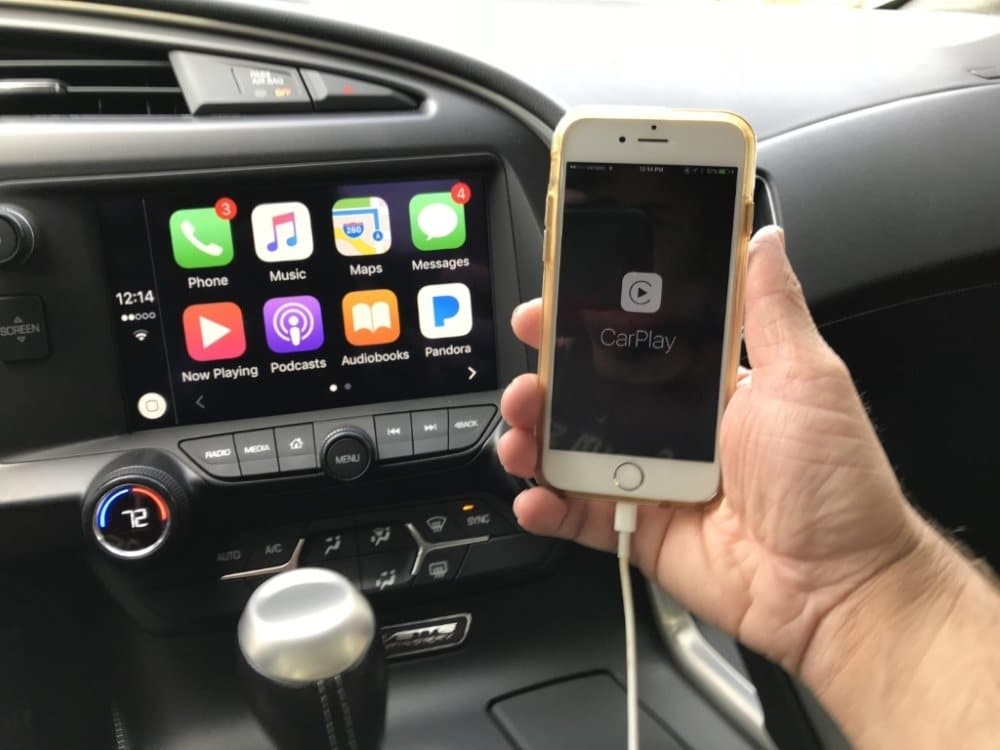
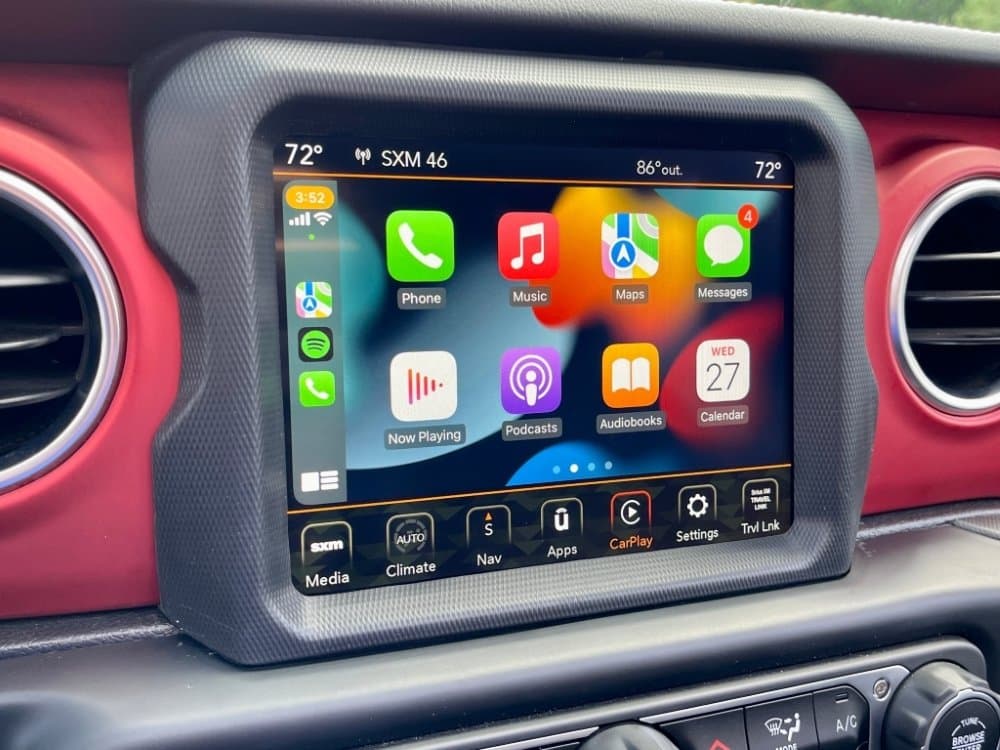
- Full Apple CarPlay ® & Android Auto ® capability.
- Did you know Onstar® turn-by-turn navigation guidance costs up to $35 per month? Upgrade to factory Chevrolet® navigation today with no monthly recurring fees! Select the IO6 (UY4 for 2014) option code above to take advantage of genuine Chevrolet® MyLink GPS Navigation with no recurring monthly fees.
- The IO6 (UY4 for 2014) system contains integrated mapping which provides full coverage for: USA, Puerto Rico, Virgin Islands, Mexico, and Canada.
- Supports English, French, & Spanish languages
- No-hassle, Plug & Play system. Pre-programmed to your specific vehicle. Please notate your vehicle’s 17-digit VIN after adding to your cart. Eligible for our Compatibility Guarantee.
Product Installation
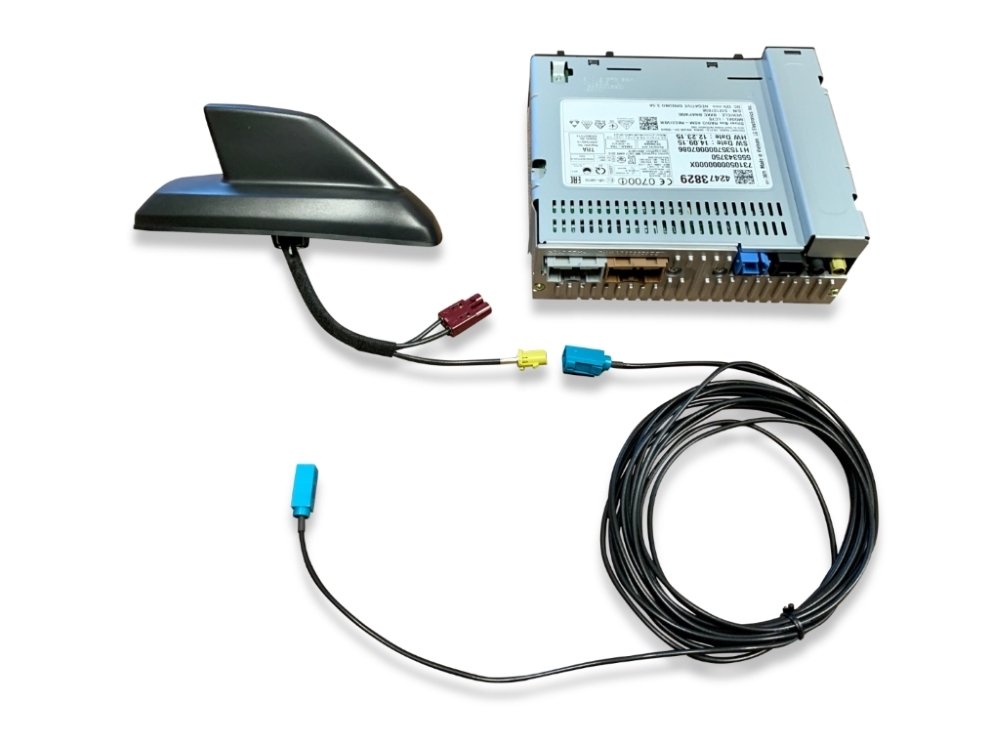
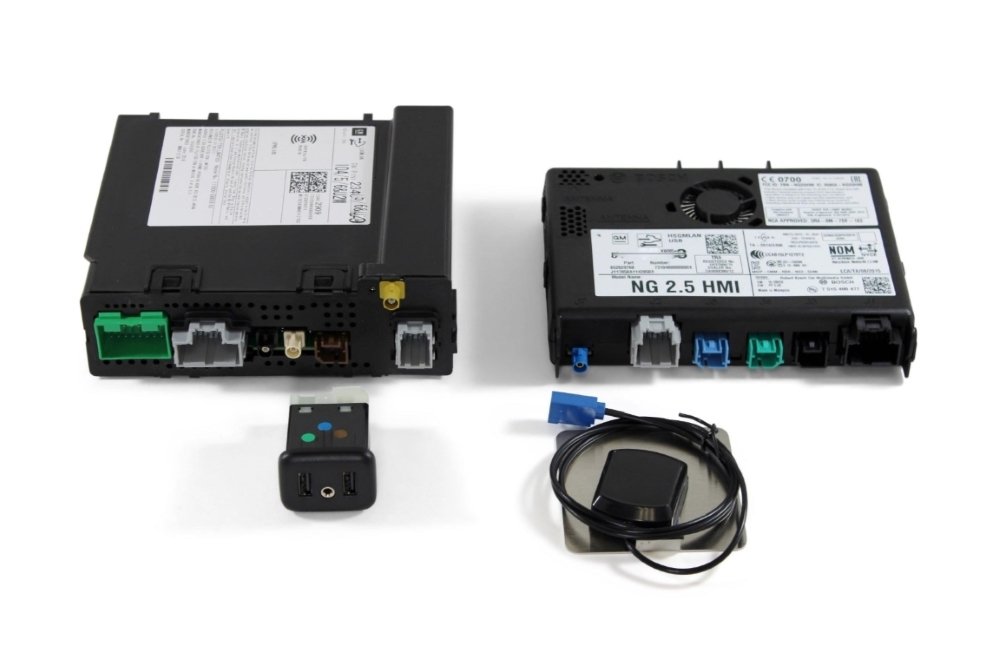
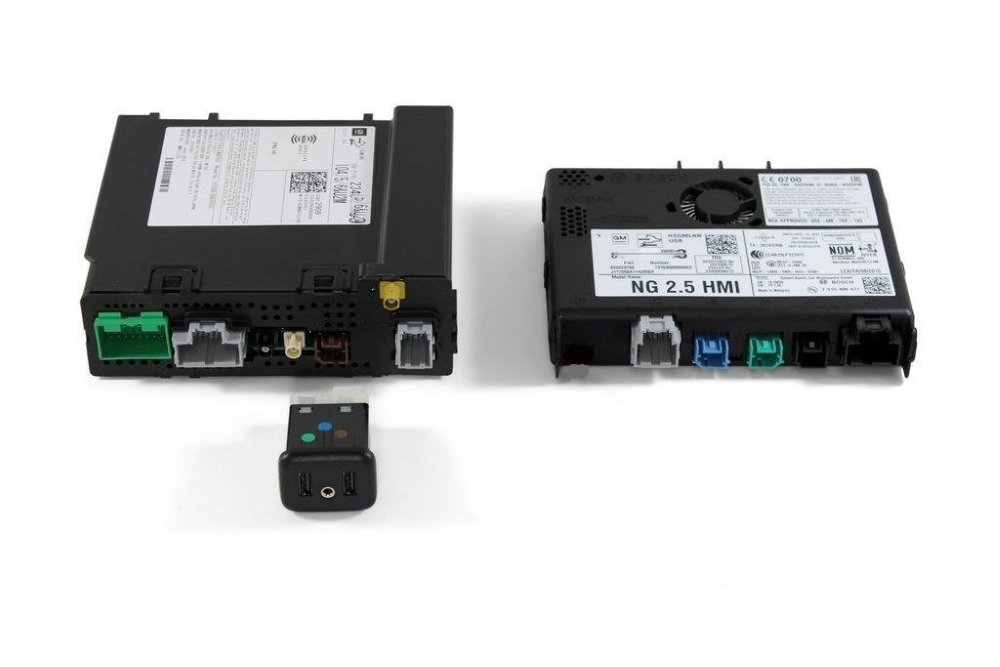
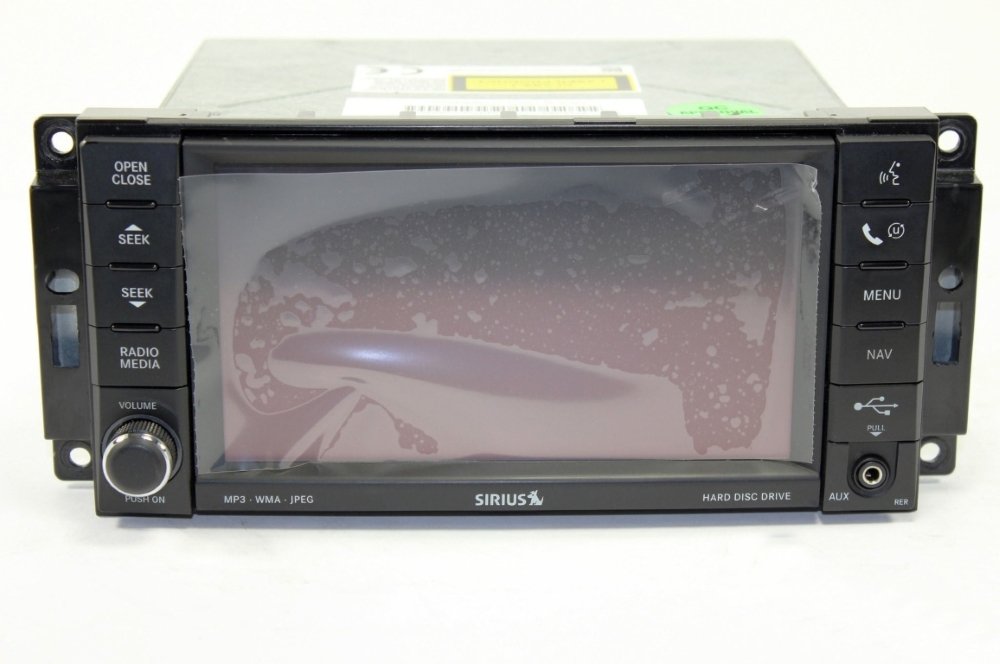
Installation of this product would be rated a 3 out of 5. 1 being extremely easy and 5 being extremely difficult. It is recommended prior to installing any automotive electronics that the negative battery terminal be disconnected. Remove and replace your vehicle’s HMI module with the our pre-programmed replacement HMI module. (Refer to PIC 1A) For IO6 upgrades – Route the GPS antenna just beneath the dash top (under the windshield) and plug the blue connector into the newly installed HMI module. Remove and replace your vehicle’s radio ACM module with our pre-programmed replacement ACM module. It will be located behind the carpet under the glovebox on the passenger side floorboard. (Refer to PIC 2A) Remove and replace your vehicle’s USB hub with the one that’s included with the kit (located in the armrest). Done!
If you need any assistance along the way please feel free to visit our YouTube page or contact our customer support department. 

Things To Know
- Pre-programmed to function with your vehicle’s existing MyLink® bluetooth hands-free calling feature. Simply re-pair your phone after installation.
- Pre-programmed to function with your vehicle’s existing steering wheel mounted audio controls. Within the Apple CarPlay mode, your phone must be paired to the system via bluetooth for the steering wheel controls to work. Within the Android Auto mode, you must control all features using the radio hard keys as opposed to the steering wheel controls.
- Pre-programmed to function with your vehicle’s existing back-up rear view camera.
- Pre-programmed to function with your vehicle’s existing SiriusXM® satellite radio. Simply call SiriusXM to transfer your subscription to the new radio once installed.
Vehicle Compatibility
| Car Make & Model | Car Year |
|---|---|
| Chevrolet Corvette | 2014 2015 |
Shipping & Delivery
Description
- Our genuine Chevrolet® MyLink factory upgrades feature a 90-day guarantee and a hassle-free return policy. Extended warranties are also available!
- Full Apple CarPlay ® & Android Auto ® capability.
- Did you know Onstar® turn-by-turn navigation guidance costs up to $35 per month? Upgrade to factory Chevrolet® navigation today with no monthly recurring fees! Select the IO6 (UY4 for 2014) option code above to take advantage of genuine Chevrolet® MyLink GPS Navigation with no recurring monthly fees.
- The IO6 (UY4 for 2014) system contains integrated mapping which provides full coverage for: USA, Puerto Rico, Virgin Islands, Mexico, and Canada.
- Supports English, French, & Spanish languages
- No-hassle, Plug & Play system. Pre-programmed to your specific vehicle. Please notate your vehicle’s 17-digit VIN after adding to your cart. Eligible for our Compatibility Guarantee.
Product Installation
Installation of this product would be rated a 3 out of 5. 1 being extremely easy and 5 being extremely difficult. It is recommended prior to installing any automotive electronics that the negative battery terminal be disconnected. Remove and replace your vehicle’s HMI module with the our pre-programmed replacement HMI module. (Refer to PIC 1A) For IO6 upgrades – Route the GPS antenna just beneath the dash top (under the windshield) and plug the blue connector into the newly installed HMI module. Remove and replace your vehicle’s radio ACM module with our pre-programmed replacement ACM module. It will be located behind the carpet under the glovebox on the passenger side floorboard. (Refer to PIC 2A) Remove and replace your vehicle’s USB hub with the one that’s included with the kit (located in the armrest). Done!
If you need any assistance along the way please feel free to visit our YouTube page or contact our customer support department.
Things To Know
- Pre-programmed to function with your vehicle’s existing MyLink® bluetooth hands-free calling feature. Simply re-pair your phone after installation.
- Pre-programmed to function with your vehicle’s existing steering wheel mounted audio controls. Within the Apple CarPlay mode, your phone must be paired to the system via bluetooth for the steering wheel controls to work. Within the Android Auto mode, you must control all features using the radio hard keys as opposed to the steering wheel controls.
- Pre-programmed to function with your vehicle’s existing back-up rear view camera.
- Pre-programmed to function with your vehicle’s existing SiriusXM® satellite radio. Simply call SiriusXM to transfer your subscription to the new radio once installed.
Vehicle Compatibility
| Car Make & Model | Car Year |
|---|---|
| Chevrolet Corvette | 2014 2015 |
5.0
100% Recommended (14 of 14)
Submit Your Review
You must be logged in to post a review.
-
It is a little pricey, but everything delivered was as promised. Don’t be fooled with the complexity of the installation. It really wasn’t that bad just take your time and give yourself a couple hours and you’ll be very happy. One note I would love to make is on the driver side when you’re removing the module, you need to push the clips in not out and then while pushing in slide the module straight down. None of the online videos really were clear about that. The passenger side is more involved, but it’s very straightforward. I am so excited I now have CarPlay. Thank you Infotainment!
Helpful (0) Unhelpful (0) -
Everything is working fine very easy to install
Helpful (0) Unhelpful (0) -
You guys are an amazing company, I got my parts wayyyy sooner than I expected and couldn’t be happier thank you guys!
Helpful (0) Unhelpful (0) -
yes thanks so much you guys are awesome much needed improvement
Helpful (0) Unhelpful (0) -
This is one of the best upgrades I’ve ever done to my Corvette, Thank you
Helpful (0) Unhelpful (0) -
Fast
Helpful (0) Unhelpful (0) -
Great product and even better and fast service
Helpful (0) Unhelpful (0) -
Best folks to deal with.
Helpful (0) Unhelpful (0) -
Fast service all programming was done plug and play
Helpful (0) Unhelpful (0) -
Plug and play. Relatively easy to install. Once swapped out it works beautifully. I wish I had swapped them out a year ago when I bought my Vette.
Helpful (0) Unhelpful (0) -
I sent my C7 corvette screen in for repair. The tech determined it was not the screen and gave me a credit. I purchased an updated HMI and ACM w ith SMS apple airplay. Very pleased and highly recommend
Helpful (0) Unhelpful (0) -
Great improvement over the Navtool set up I previously installed. Spend the extra money to do it right.
Helpful (0) Unhelpful (0) -
fast, efficient, serious. No problem
Helpful (0) Unhelpful (0) -
Thanks to the Infotainment team, I now have Carplay! Seemed like a pricey upgrade but considering all that you get (Podcasts, Maps, Music, Siri) it is a very nice upgrade and so much more responsive than the stock GM mess. Although this install is rated as a 3 out of 5, the ACM module is really tricky to access to because of the fact that the existing unit is so tightly tucked in behind the passenger’s footwell. You need to be a contortionist to get proper access but once you do, you can plug and play. One note, the USB on 2015s is located in the center console not the glovebox..not sure why anyone would want USB in the glovebox but there ya go. Thanks again Infotainment team for delivering a brand new, perfectly programmed unit!
Helpful (0) Unhelpful (0)


Shipping & Delivery







William S. (verified owner)
It is a little pricey, but everything delivered was as promised. Don’t be fooled with the complexity of the installation. It really wasn’t that bad just take your time and give yourself a couple hours and you’ll be very happy. One note I would love to make is on the driver side when you’re removing the module, you need to push the clips in not out and then while pushing in slide the module straight down. None of the online videos really were clear about that. The passenger side is more involved, but it’s very straightforward. I am so excited I now have CarPlay. Thank you Infotainment!
darien c. (verified owner)
Everything is working fine very easy to install
Derek L. (verified owner)
You guys are an amazing company, I got my parts wayyyy sooner than I expected and couldn’t be happier thank you guys!
floyd b. (verified owner)
yes thanks so much you guys are awesome much needed improvement
Ricardo C. (verified owner)
This is one of the best upgrades I’ve ever done to my Corvette, Thank you
Luis D. (verified owner)
Fast
Markus L. (verified owner)
Great product and even better and fast service
Cesar B. (verified owner)
Best folks to deal with.
ALAN D. (verified owner)
Fast service all programming was done plug and play
Arnold B. (verified owner)
Plug and play. Relatively easy to install. Once swapped out it works beautifully. I wish I had swapped them out a year ago when I bought my Vette.
Ronald L. (verified owner)
I sent my C7 corvette screen in for repair. The tech determined it was not the screen and gave me a credit. I purchased an updated HMI and ACM w ith SMS apple airplay. Very pleased and highly recommend
shawn w. (verified owner)
Great improvement over the Navtool set up I previously installed. Spend the extra money to do it right.
ERIC C. (verified owner)
fast, efficient, serious. No problem
Sean (verified owner)
Thanks to the Infotainment team, I now have Carplay! Seemed like a pricey upgrade but considering all that you get (Podcasts, Maps, Music, Siri) it is a very nice upgrade and so much more responsive than the stock GM mess. Although this install is rated as a 3 out of 5, the ACM module is really tricky to access to because of the fact that the existing unit is so tightly tucked in behind the passenger’s footwell. You need to be a contortionist to get proper access but once you do, you can plug and play. One note, the USB on 2015s is located in the center console not the glovebox..not sure why anyone would want USB in the glovebox but there ya go. Thanks again Infotainment team for delivering a brand new, perfectly programmed unit!