



Description
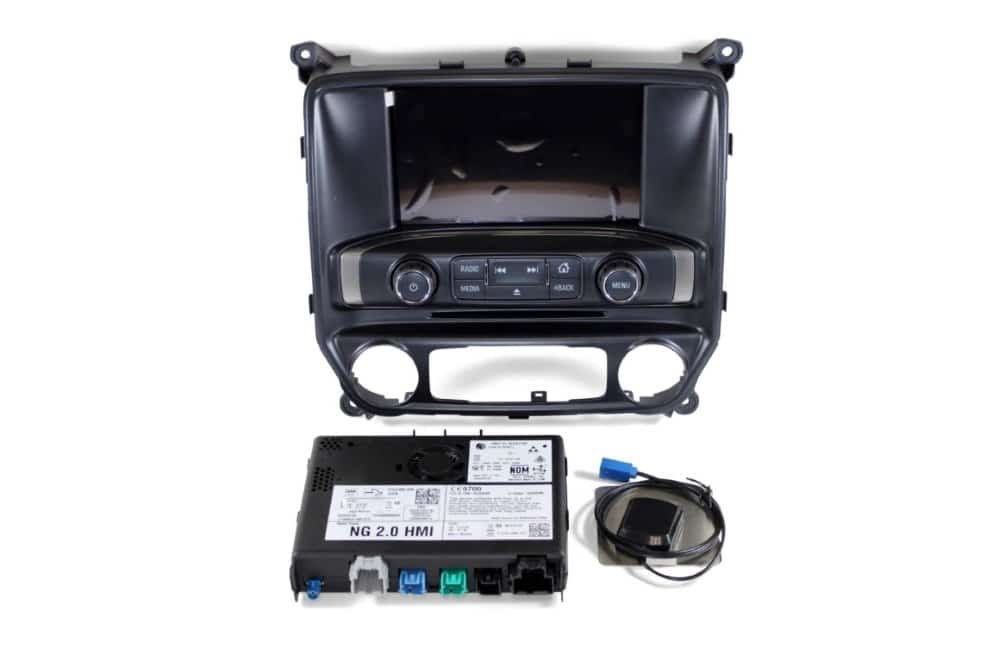
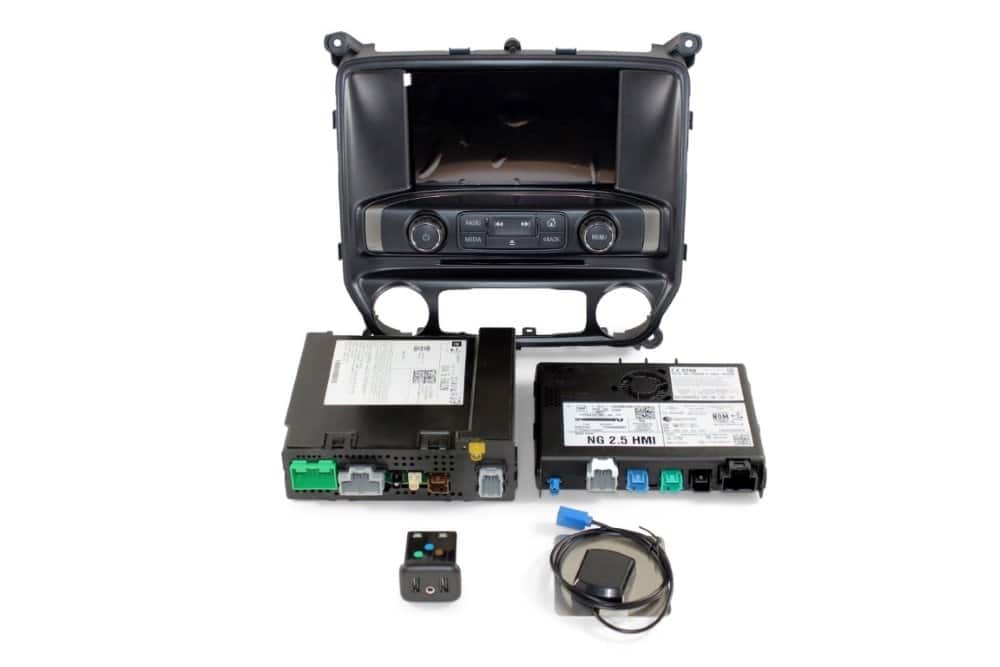
- Our genuine brand new GMC® navigation HMI modules feature a 90-day guarantee and a hassle-free return policy. Extended warranties are also available!
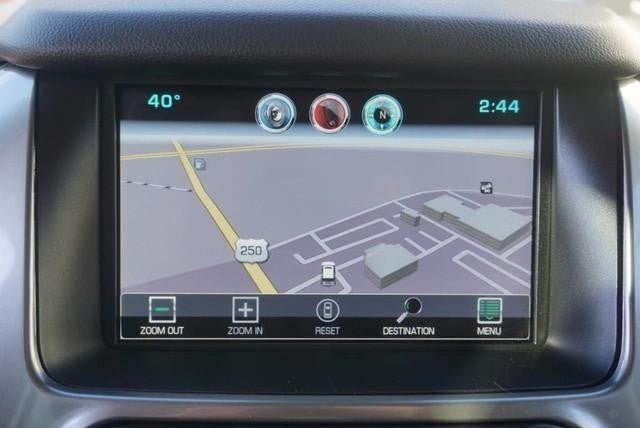
- Did you know Onstar® turn-by-turn navigation guidance costs up to $35 per month? Upgrade to factory GMC® navigation today with no monthly recurring fees! Simply remove and replace the vehicle’s HMI module. Then route the included GPS antenna. Done!
- This system contains integrated mapping which provides full coverage for: USA, Puerto Rico, Virgin Islands, Mexico, and Canada.
- Supports English, French, & Spanish languages
- No-hassle, Plug & Play system. Pre-programmed to your specific vehicle. Please notate your vehicle’s 17-digit VIN after adding to your cart. Eligible for our Compatibility Guarantee.
SELECT CURRENT CONFIGURATION
8 Inch Screen IO5 – Select this option if your truck currently features the 8-inch radio display and you would simply like to upgrade from OnStar® turn-by-turn guidance to factory GMC® GPS navigation. The glovebox sticker will reflect the “IO5” option code.
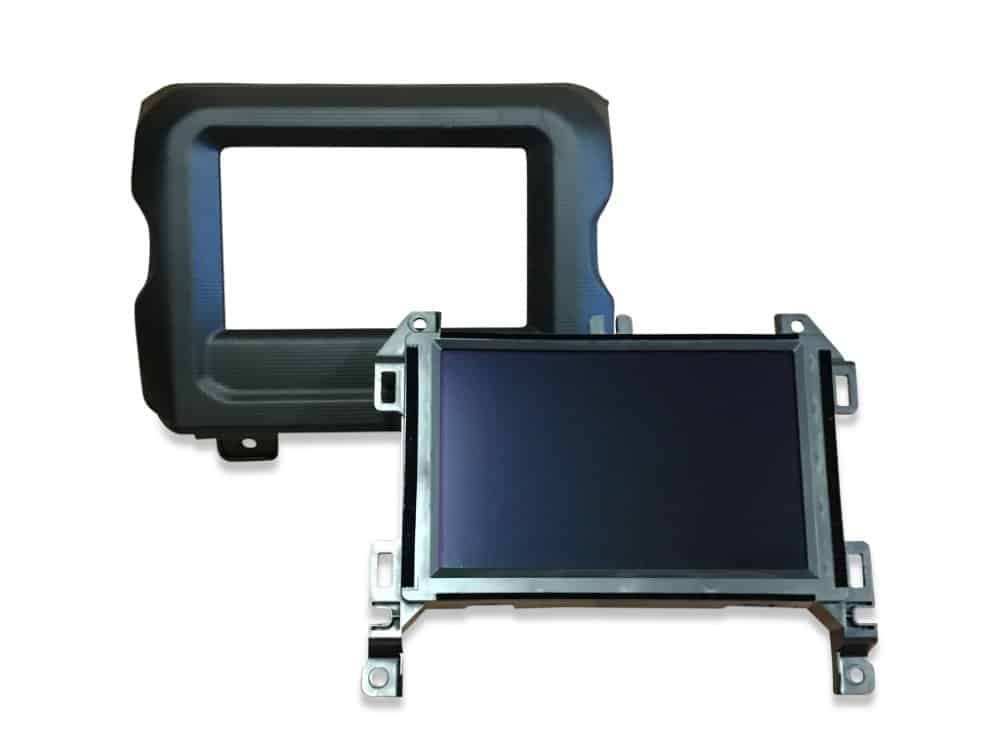
4 Inch Screen IO4 – Select this option if your truck currently features the smaller 4-inch IntelliLink® radio display (refer to “before” photo below) and you would like to upgrade to the 8-inch radio display with factory GMC® GPS navigation. The glovebox sticker will reflect the “IO4” option code.


*If you currently have a Sierra work truck (W/T) equipped with the 4″ screen “IO3” option code, check out our plug & play upgrade for you HERE.
Product Installation
Installation of this product would be rated a 2 out of 5. 1 being extremely easy and 5 being extremely difficult. It is recommended prior to installing any automotive electronics that the negative battery terminal be disconnected. If you need any assistance along the way please feel free to visit our YouTube page or contact our customer support department.
IO6 Installation procedure for trucks equipped with the 8″ Screen (IO5)
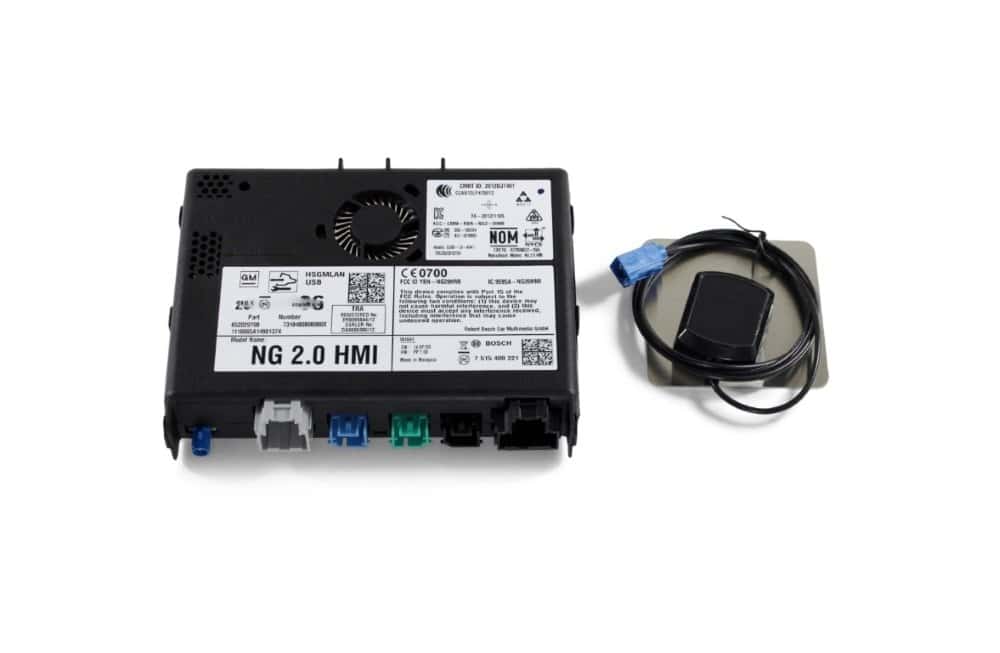
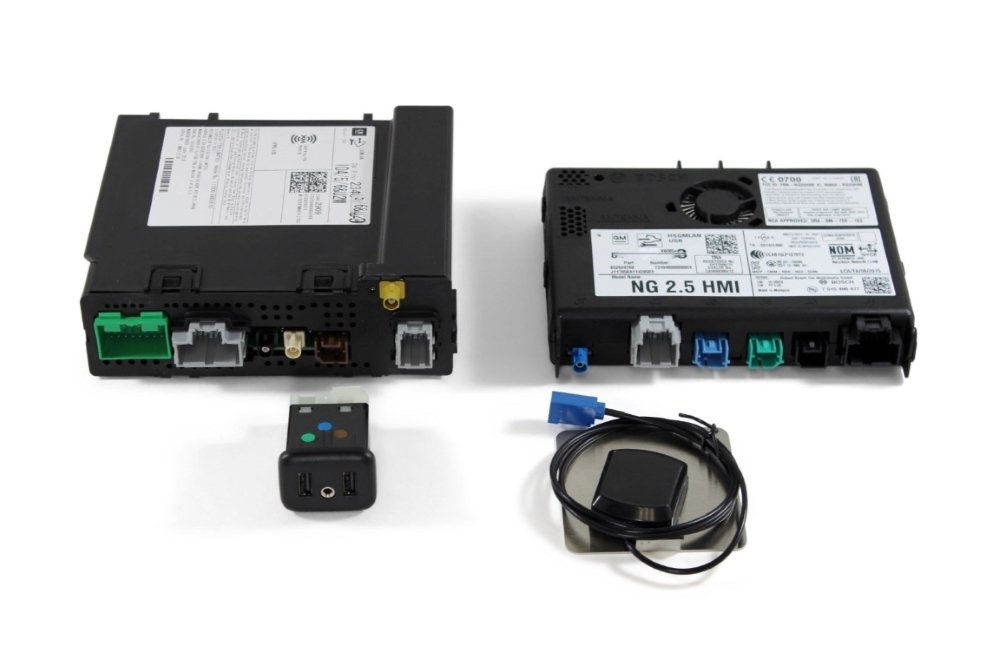
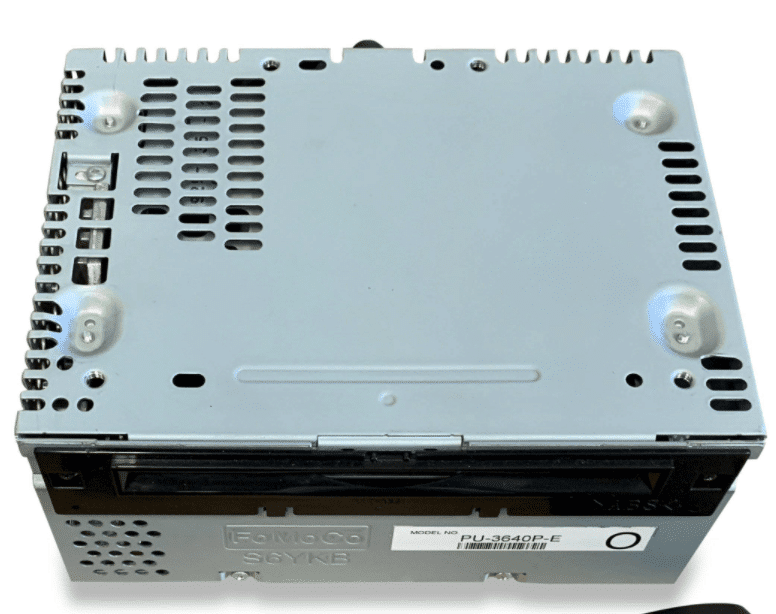
Remove and replace your vehicle’s HMI module with the our pre-programmed replacement HMI module. (Refer to PIC 1A) Route the GPS antenna just beneath the dash top (under the windshield) and plug the blue connector into the newly installed HMI module. Done! 
IO6 Installation procedure for trucks equipped with the 4″ Screen (IO4)
Remove and replace your vehicle’s HMI module with the our pre-programmed replacement HMI module. (Refer to PIC 1A) Route the GPS antenna just beneath the dash top (under the windshield) and plug the blue connector into the newly installed HMI module. Remove and replace your truck’s radio display by removing the outer bezel trim which will expose the screws that secure the inner bezel/screen. Simply swap the 4″ screen with the included 8″ screen. Done!
Refer to the installation video below if you’re interested in upgrading to Apple CarPlay® & Android Auto®!
Product Features
- Voice Activated GPS Navigation with turn-by-turn directions on radio screen & 4.2-inch speedometer cluster.
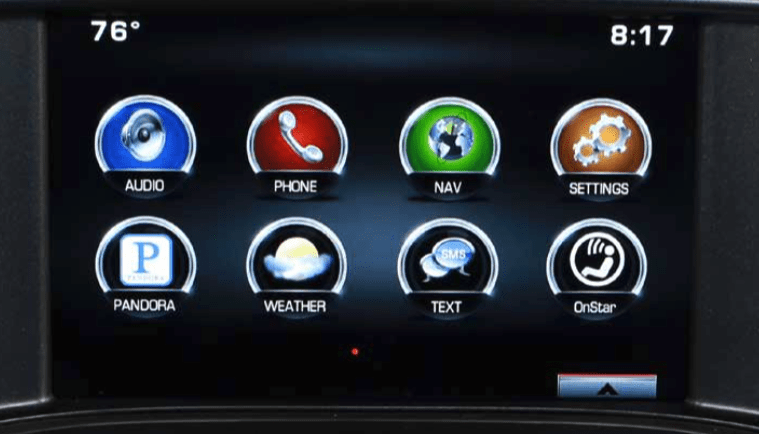
- XM® Weather & Traffic (may require SiriusXM® level II support)
- Texting Feature – (Visit my.gm.com/bluetooth for compatibility)
- Latest & greatest GM® firmware update including Siri Eyes Free.
- Plug & Play, pre-programmed to your specific vehicle prior to shipping.

Things To Know
- Pre-programmed to function with your vehicle’s existing IntelliLink® bluetooth hands-free calling feature.
- Pre-programmed to function with your vehicle’s existing steering wheel mounted audio controls.
- Pre-programmed to function with your vehicle’s existing back-up rear view camera. If you would like to add a rear view back-up camera check out most popular plug & play TailGate Handle Backup Camera.
- Pre-programmed to function with your vehicle’s existing SiriusXM® satellite radio. If you would like to add the satellite radio feature be sure to purchase our GM U2K SiriusXM Satellite Radio Upgrade.
Vehicle Compatibility
| Car Make & Model | Car Year |
|---|---|
| GMC Sierra 1500 | 2014 2015 |
| GMC Sierra 2500 | 2015 |
| GMC Sierra 3500 | 2015 |
Shipping & Delivery
Available Upgrade
Upgrade to Apple CarPlay® & Android Auto®- Take the opportunity NOW to upgrade to the new Apple CarPlay® & Android Auto® "Projection" feature. Simply add the feature above within the drop-down menu. With this option you'll not only gain factory GPS navigation on-screen but also control of your Apple or Android smartphone with apps such as maps, Pandora, Spotify, Phone, Texts, etc all through your 8-inch touchscreen display. CLICK HERE for full details on this amazing upgrade!
Description
- Our genuine brand new GMC® navigation HMI modules feature a 90-day guarantee and a hassle-free return policy. Extended warranties are also available!
- Did you know Onstar® turn-by-turn navigation guidance costs up to $35 per month? Upgrade to factory GMC® navigation today with no monthly recurring fees! Simply remove and replace the vehicle’s HMI module. Then route the included GPS antenna. Done!
- This system contains integrated mapping which provides full coverage for: USA, Puerto Rico, Virgin Islands, Mexico, and Canada.
- Supports English, French, & Spanish languages
- No-hassle, Plug & Play system. Pre-programmed to your specific vehicle. Please notate your vehicle’s 17-digit VIN after adding to your cart. Eligible for our Compatibility Guarantee.
SELECT CURRENT CONFIGURATION
8 Inch Screen IO5 – Select this option if your truck currently features the 8-inch radio display and you would simply like to upgrade from OnStar® turn-by-turn guidance to factory GMC® GPS navigation. The glovebox sticker will reflect the “IO5” option code.
4 Inch Screen IO4 – Select this option if your truck currently features the smaller 4-inch IntelliLink® radio display (refer to “before” photo below) and you would like to upgrade to the 8-inch radio display with factory GMC® GPS navigation. The glovebox sticker will reflect the “IO4” option code.
*If you currently have a Sierra work truck (W/T) equipped with the 4″ screen “IO3” option code, check out our plug & play upgrade for you HERE.
Product Installation
Installation of this product would be rated a 2 out of 5. 1 being extremely easy and 5 being extremely difficult. It is recommended prior to installing any automotive electronics that the negative battery terminal be disconnected. If you need any assistance along the way please feel free to visit our YouTube page or contact our customer support department.
IO6 Installation procedure for trucks equipped with the 8″ Screen (IO5)
Remove and replace your vehicle’s HMI module with the our pre-programmed replacement HMI module. (Refer to PIC 1A) Route the GPS antenna just beneath the dash top (under the windshield) and plug the blue connector into the newly installed HMI module. Done!
IO6 Installation procedure for trucks equipped with the 4″ Screen (IO4)
Remove and replace your vehicle’s HMI module with the our pre-programmed replacement HMI module. (Refer to PIC 1A) Route the GPS antenna just beneath the dash top (under the windshield) and plug the blue connector into the newly installed HMI module. Remove and replace your truck’s radio display by removing the outer bezel trim which will expose the screws that secure the inner bezel/screen. Simply swap the 4″ screen with the included 8″ screen. Done!
Refer to the installation video below if you’re interested in upgrading to Apple CarPlay® & Android Auto®!
Product Features
- Voice Activated GPS Navigation with turn-by-turn directions on radio screen & 4.2-inch speedometer cluster.
- XM® Weather & Traffic (may require SiriusXM® level II support)
- Texting Feature – (Visit my.gm.com/bluetooth for compatibility)
- Latest & greatest GM® firmware update including Siri Eyes Free.
- Plug & Play, pre-programmed to your specific vehicle prior to shipping.
Things To Know
- Pre-programmed to function with your vehicle’s existing IntelliLink® bluetooth hands-free calling feature.
- Pre-programmed to function with your vehicle’s existing steering wheel mounted audio controls.
- Pre-programmed to function with your vehicle’s existing back-up rear view camera. If you would like to add a rear view back-up camera check out most popular plug & play TailGate Handle Backup Camera.
- Pre-programmed to function with your vehicle’s existing SiriusXM® satellite radio. If you would like to add the satellite radio feature be sure to purchase our GM U2K SiriusXM Satellite Radio Upgrade.
Vehicle Compatibility
| Car Make & Model | Car Year |
|---|---|
| GMC Sierra 1500 | 2014 2015 |
| GMC Sierra 2500 | 2015 |
| GMC Sierra 3500 | 2015 |
5.0
100% Recommended (23 of 23)
Submit Your Review
You must be logged in to post a review.
-
Fairly easy to install
Helpful (0) Unhelpful (0) -
The unit shipped sooner than expected, was a breeze to install, looks great, and performs like factory install. Customer service was excellent as well.
Helpful (0) Unhelpful (0) -
Works better than expected and was simple to install
Helpful (0) Unhelpful (0) -
Works better than expected and was simple to install
Helpful (0) Unhelpful (0) -
Amazing! It’s like I have a new truck. Super easy to install. Use the YouTube video.
Helpful (0) Unhelpful (0) -
Amazing! It’s like I have a new truck. Super easy to install. Use the YouTube video.
Helpful (0) Unhelpful (0) -
Best upgrade mod to my 2014 GMC SIERRA ,install only took about 15 minutes overall real easy plug n play thx OemAutoPartsCo n Infotaintment.
Helpful (0) Unhelpful (0) -
Best upgrade mod to my 2014 GMC SIERRA ,install only took about 15 minutes overall real easy plug n play thx OemAutoPartsCo n Infotaintment.
Helpful (0) Unhelpful (0) -
You can check out my install here: https://youtu.be/KOfygJtKrmI
Still running strong over a year now.
Helpful (0) Unhelpful (0) -
Great product, interfaces perfectly in my 2014 Sierra 1500 with Bose. Very easy to install and excellent customer support!
Helpful (0) Unhelpful (0) -
Great product, interfaces perfectly in my 2014 Sierra 1500 with Bose. Very easy to install and excellent customer support!
Helpful (0) Unhelpful (0) -
Love it. Easy install and works great. Android Auto is awsome.
Helpful (0) Unhelpful (0) -
Love it. Easy install and works great. Android Auto is awsome.
Helpful (0) Unhelpful (0) -
It wasn’t as easy as the Youtube made it to be. But it was plug and play and works excellent. Really appreciate it guys,, Thanks.
Helpful (0) Unhelpful (0) -
It wasn
Helpful (0) Unhelpful (0) -
Great service and responsiveness. Product worked just as described and the installation videos made the install very easy. A+ all around!
Helpful (0) Unhelpful (0) -
Great service and responsiveness. Product worked just as described and the installation videos made the install very easy. A+ all around!
Helpful (0) Unhelpful (0) -
Great service, great product, and super easy to install. Works great!
Helpful (0) Unhelpful (0) -
The best upgrade to my 2014 Sierra since buying it
Helpful (0) Unhelpful (0) -
Super easy the videos are good but on a Sierra 2014 you only have to take out four screws not drop out the full glove box
Helpful (0) Unhelpful (0) -
VERY GOOD UNIT
Helpful (0) Unhelpful (0) -
Very happy with the upgrade. I went from a io5 to a io6 on my 14 GMC Sierra. I Like the weather and the navigation . Still playing around with it. But to this point very happy. When I call them with the many questions I had they were very helpful. It was like there was no dumb questions.
Helpful (0) Unhelpful (0) -
I upgrade to carplay and i am very happy, i high recommend OEM AUTO PARTS
Helpful (0) Unhelpful (0)


Shipping & Delivery
Available Upgrade
Upgrade to Apple CarPlay® & Android Auto®- Take the opportunity NOW to upgrade to the new Apple CarPlay® & Android Auto® "Projection" feature. Simply add the feature above within the drop-down menu. With this option you'll not only gain factory GPS navigation on-screen but also control of your Apple or Android smartphone with apps such as maps, Pandora, Spotify, Phone, Texts, etc all through your 8-inch touchscreen display. CLICK HERE for full details on this amazing upgrade!





Justin P. (verified owner)
Fairly easy to install
Lacoya B. (verified owner)
The unit shipped sooner than expected, was a breeze to install, looks great, and performs like factory install. Customer service was excellent as well.
Dan M. (verified owner)
Works better than expected and was simple to install
Daniel M. (verified owner)
Works better than expected and was simple to install
Doug S. (verified owner)
Amazing! It’s like I have a new truck. Super easy to install. Use the YouTube video.
Doug S. (verified owner)
Amazing! It’s like I have a new truck. Super easy to install. Use the YouTube video.
Juan v. (verified owner)
Best upgrade mod to my 2014 GMC SIERRA ,install only took about 15 minutes overall real easy plug n play thx OemAutoPartsCo n Infotaintment.
Juan V. (verified owner)
Best upgrade mod to my 2014 GMC SIERRA ,install only took about 15 minutes overall real easy plug n play thx OemAutoPartsCo n Infotaintment.
Tech C. (verified owner)
You can check out my install here: https://youtu.be/KOfygJtKrmI
Still running strong over a year now.
Matt B. (verified owner)
Great product, interfaces perfectly in my 2014 Sierra 1500 with Bose. Very easy to install and excellent customer support!
Matt B. (verified owner)
Great product, interfaces perfectly in my 2014 Sierra 1500 with Bose. Very easy to install and excellent customer support!
Daman H. (verified owner)
Love it. Easy install and works great. Android Auto is awsome.
Daman H. (verified owner)
Love it. Easy install and works great. Android Auto is awsome.
Frank K. (verified owner)
It wasn’t as easy as the Youtube made it to be. But it was plug and play and works excellent. Really appreciate it guys,, Thanks.
Frank K. (verified owner)
It wasn
Jon C. (verified owner)
Great service and responsiveness. Product worked just as described and the installation videos made the install very easy. A+ all around!
Jon C. (verified owner)
Great service and responsiveness. Product worked just as described and the installation videos made the install very easy. A+ all around!
Richard L. (verified owner)
Great service, great product, and super easy to install. Works great!
Melvin W. (verified owner)
The best upgrade to my 2014 Sierra since buying it
Chris C. (verified owner)
Super easy the videos are good but on a Sierra 2014 you only have to take out four screws not drop out the full glove box
Frank (verified owner)
VERY GOOD UNIT
Jon K. (verified owner)
Very happy with the upgrade. I went from a io5 to a io6 on my 14 GMC Sierra. I Like the weather and the navigation . Still playing around with it. But to this point very happy. When I call them with the many questions I had they were very helpful. It was like there was no dumb questions.
Paulo R. (verified owner)
I upgrade to carplay and i am very happy, i high recommend OEM AUTO PARTS